🖨️ พิมพ์ / บันทึกเป็น PDF (A4)
กด Ctrl/⌘+P แล้วเลือกกระดาษ A4 · Margins = None · เปิด Background graphics
Grande Centre Point Voyage Pattaya
Voyage Member
ขั้นตอนการจองโดยใช้เลข Voyage Member
How to book using your Voyage Member number
voyagepattaya.com
1
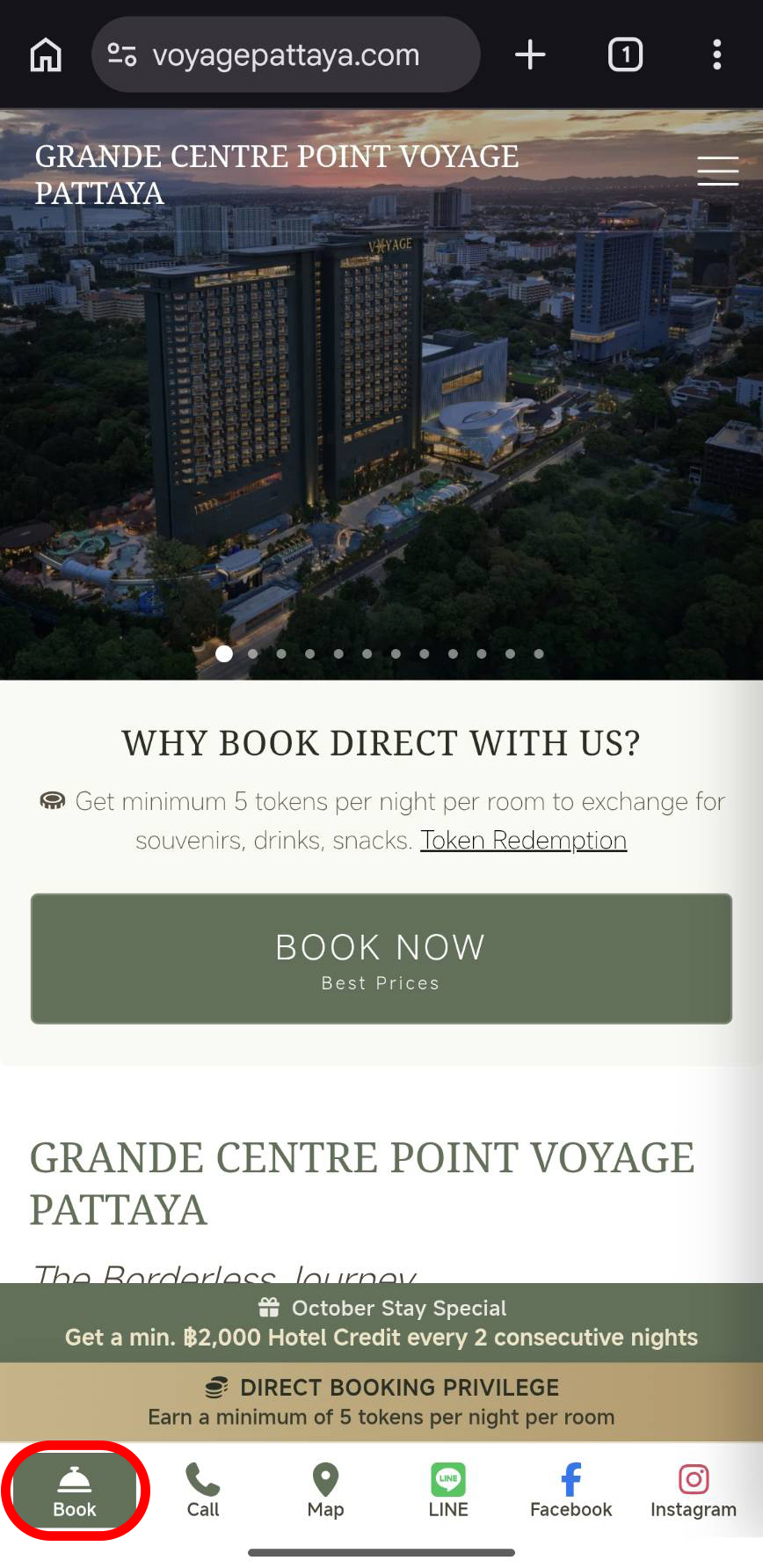
เข้าเว็บไซต์
voyagepattaya.com
แล้วกดปุ่ม “จอง” ตามปกติ
Go to voyagepattaya.com and tap “Book” as usual.
2
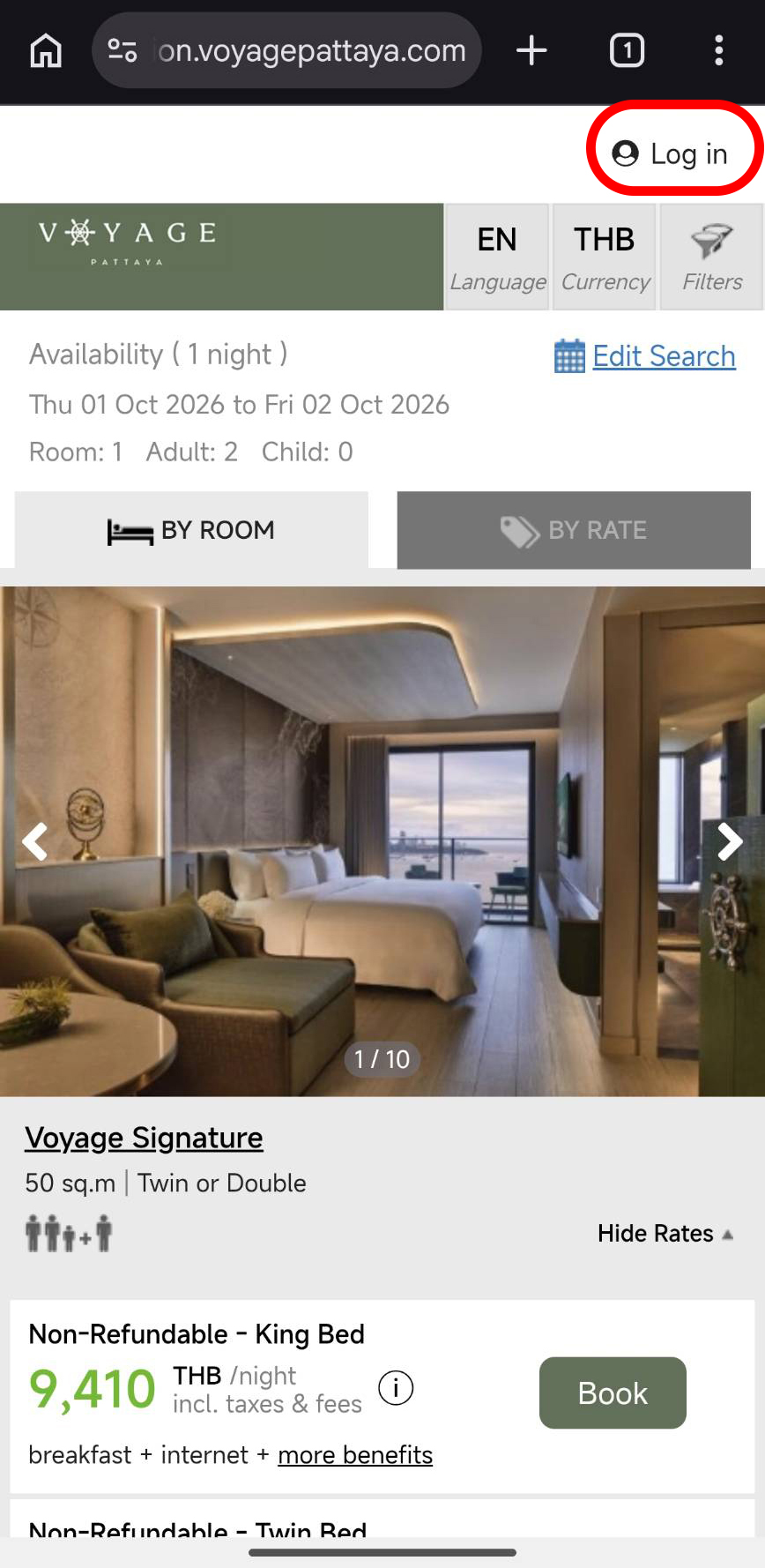
เลือกคำว่า “Login” ตามภาพ
Select “Login” as shown.
3
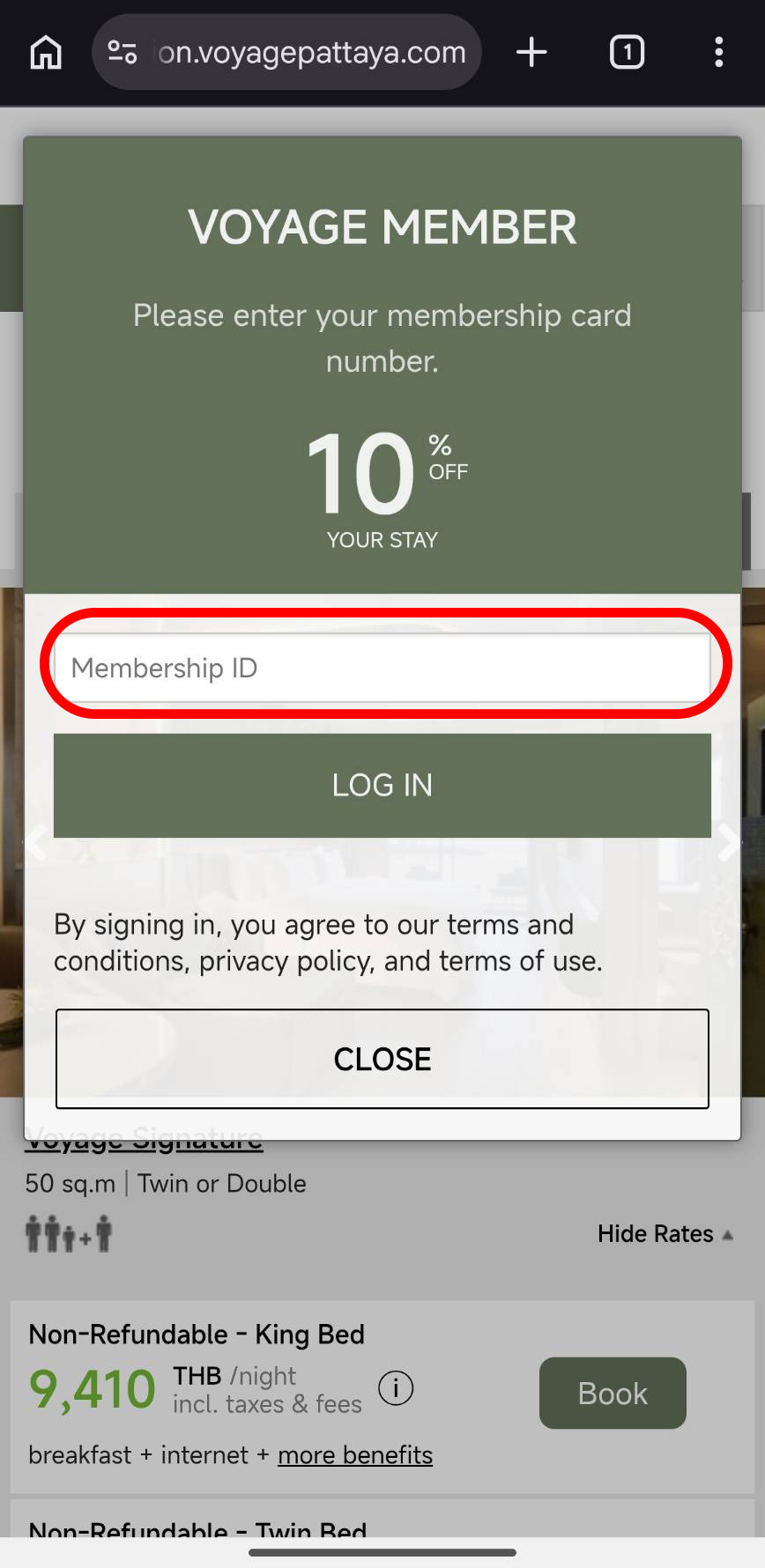
กรอกหมายเลขบัตร Voyage Member ที่ได้รับตอนสมัคร
Enter the Voyage Member card number you received when you signed up.
4
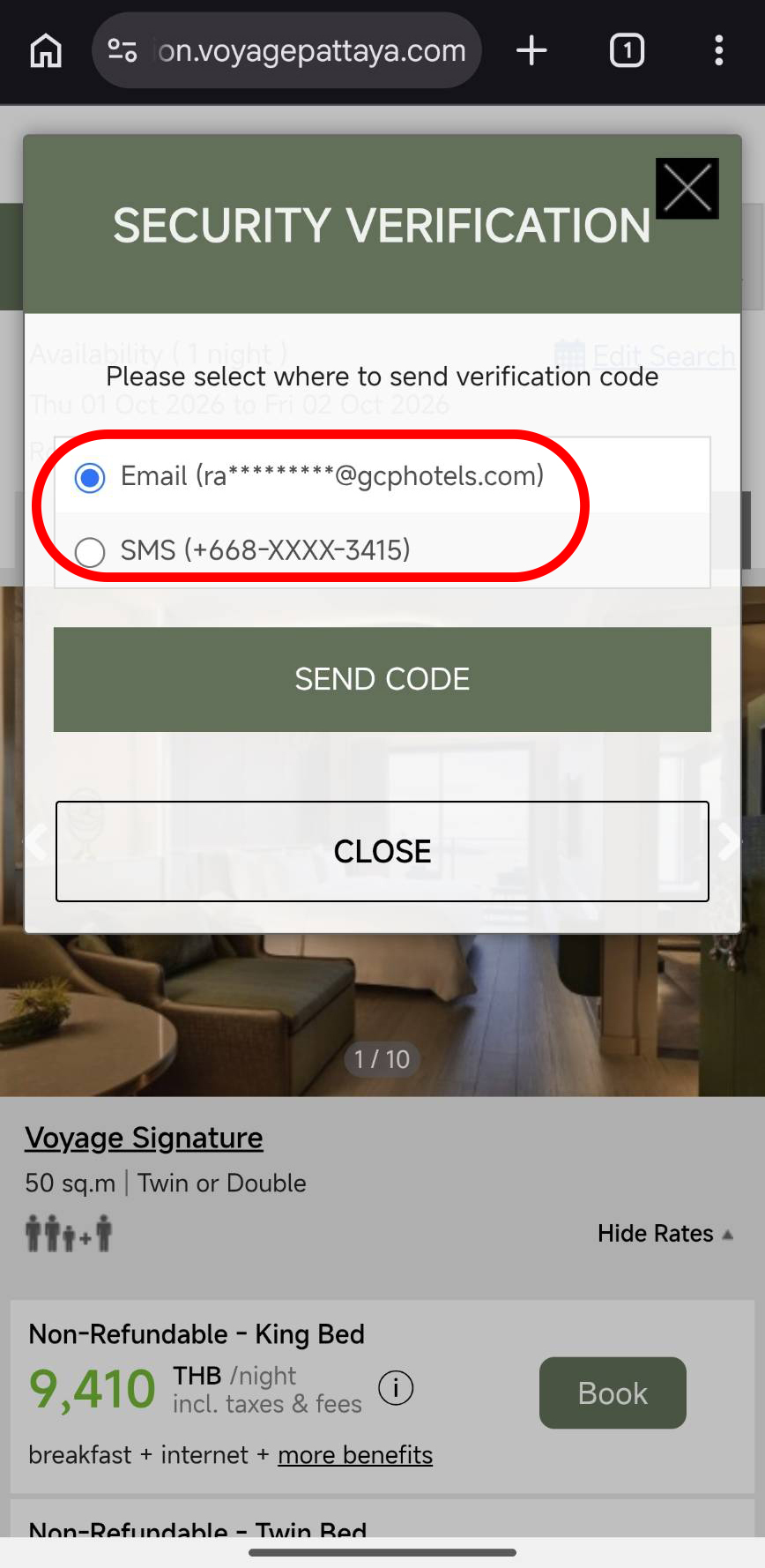
เลือกช่องทางรับรหัส OTP เพื่อยืนยันตัวตน
Choose how to receive your OTP to verify your identity.
Voyage Member · ขั้นตอนการจอง (ต่อ) · continued
ขั้นตอนที่ 5 – 8
/ Steps 5 – 8
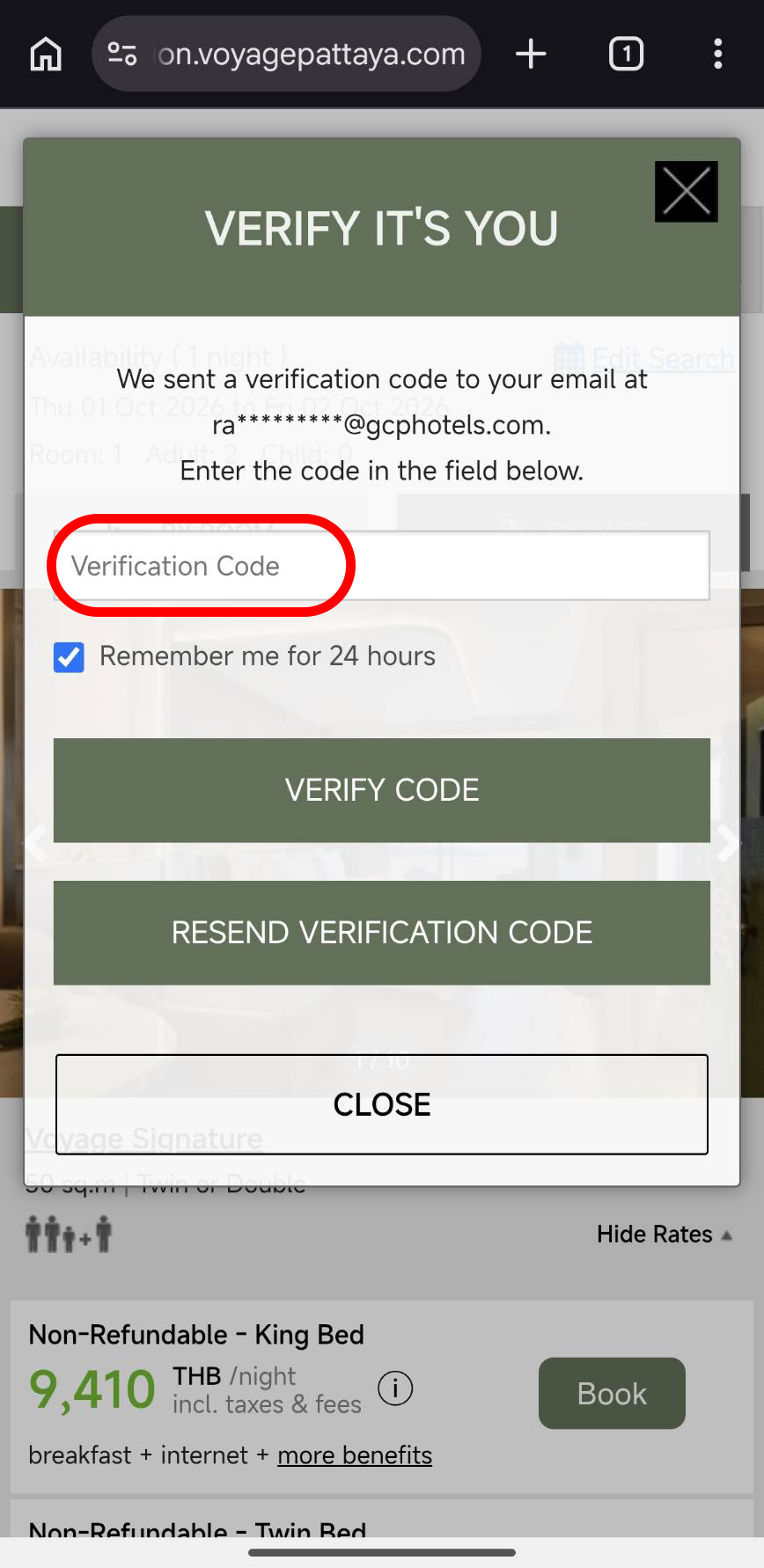
5
กรอกรหัส OTP ที่ได้รับทาง Email หรือ SMS
Enter the OTP sent to you by email or SMS.
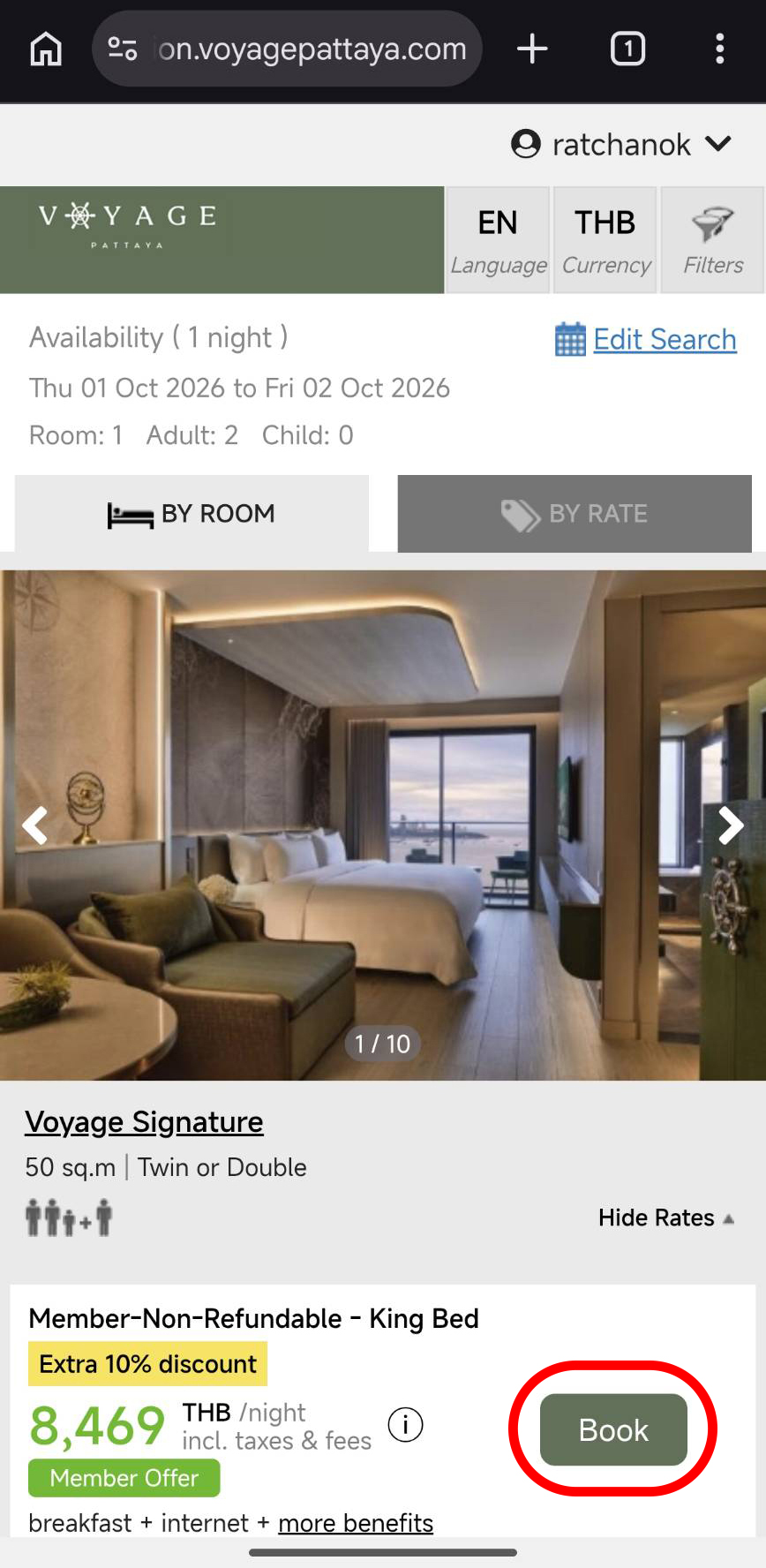
6
ระบบจะแสดงราคาสมาชิก จากนั้นทำการจองตามปกติ
Your member rates will appear — then continue booking as usual.
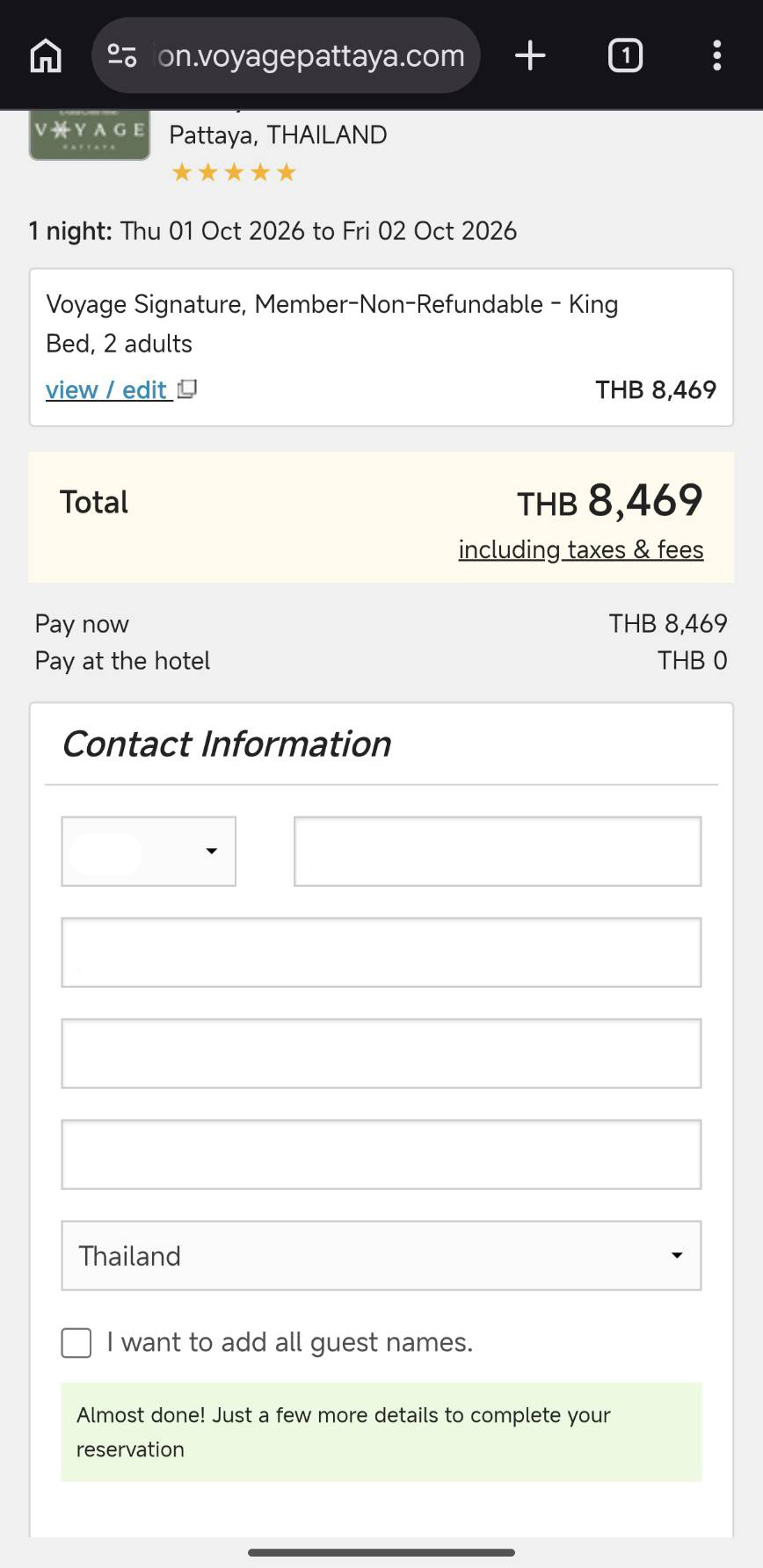
7
เลือกวันเข้าพักและประเภทห้อง แล้วกรอกข้อมูลผู้จองและผู้เข้าพักให้ครบถ้วน
Select your dates and room type, then complete the booker and guest details.
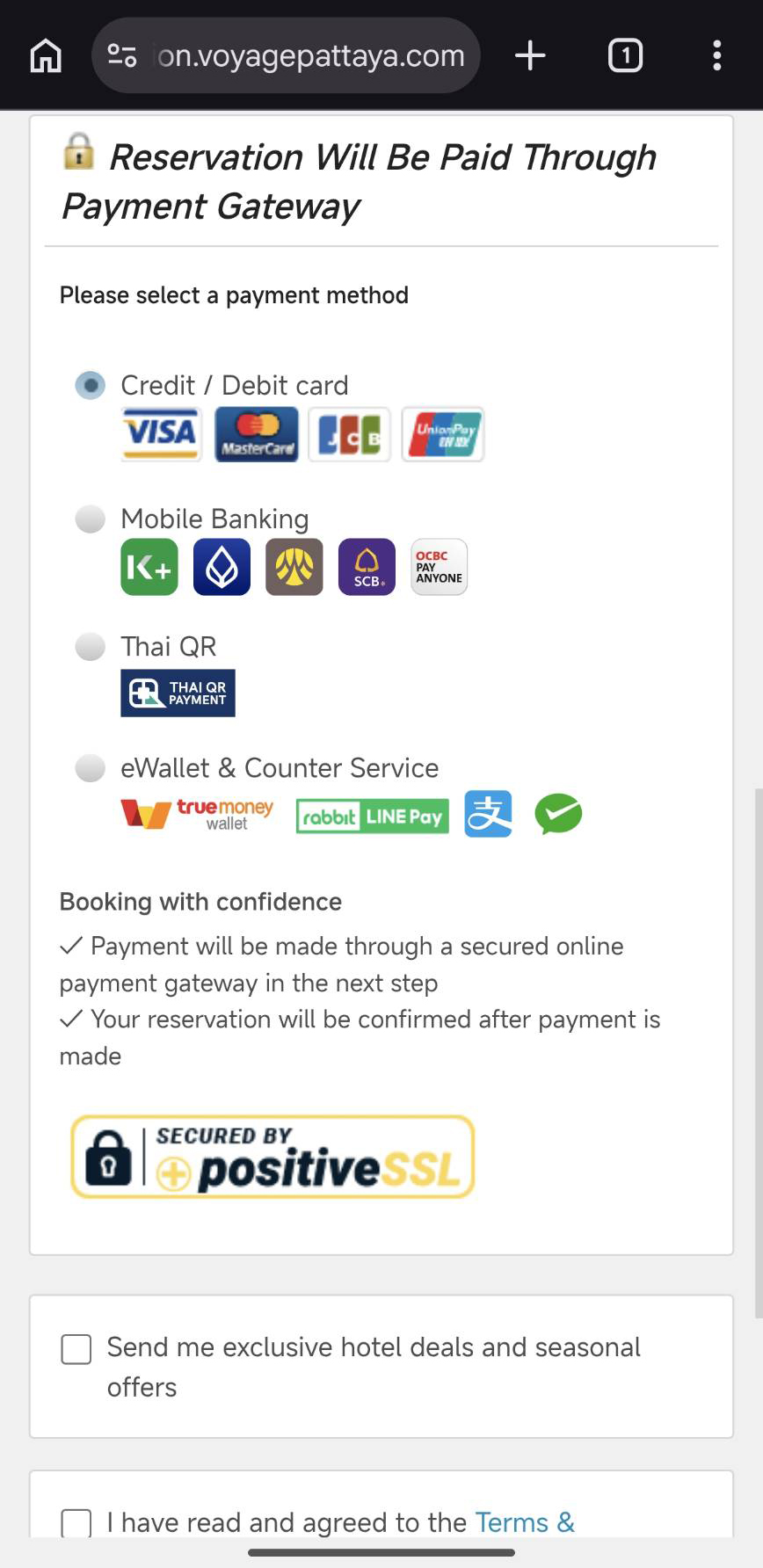
8
เลือกวิธีการชำระเงิน เป็นอันเสร็จสิ้นการจอง
Choose your payment method to complete the booking.
สอบถามเพิ่มเติม · โทร
+66 33 268 188
·
voyagepattaya.com
For assistance, call +66 33 268 188 · voyagepattaya.com